Orbit turns your ideas into a map you fly through. Build it right on the map, present it on any screen, and keep it as a plain markdown file that's yours.
Coming soon to Google Play, F-Droid and AppGallery, and as a download.
- No account
- No ads
- No tracking
- Works without Google
- Phones, tablets and Chromebooks
- Free software, GNU GPL
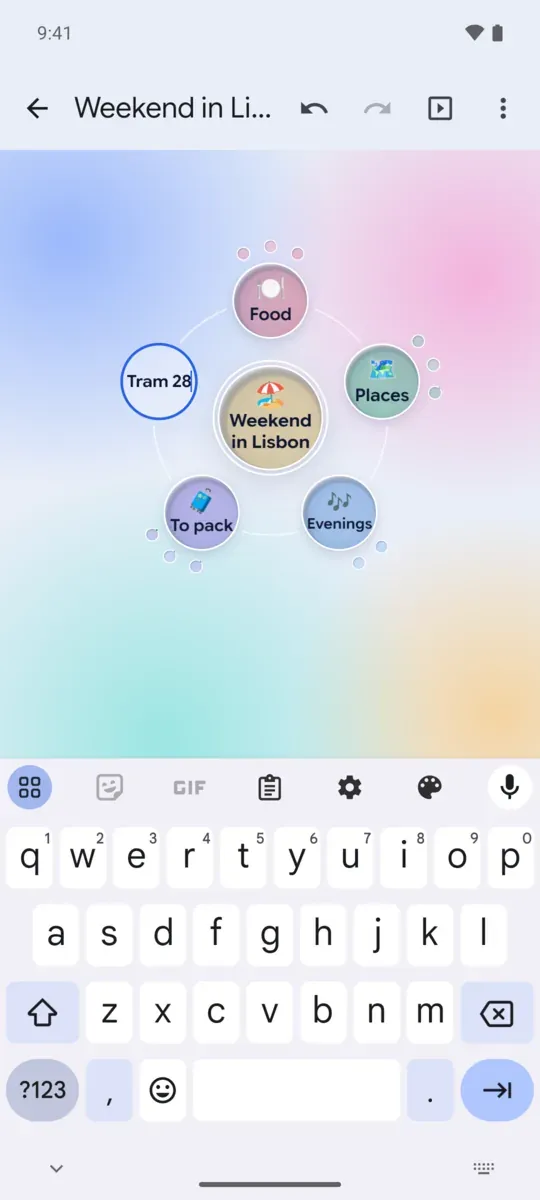
Build it right on the map
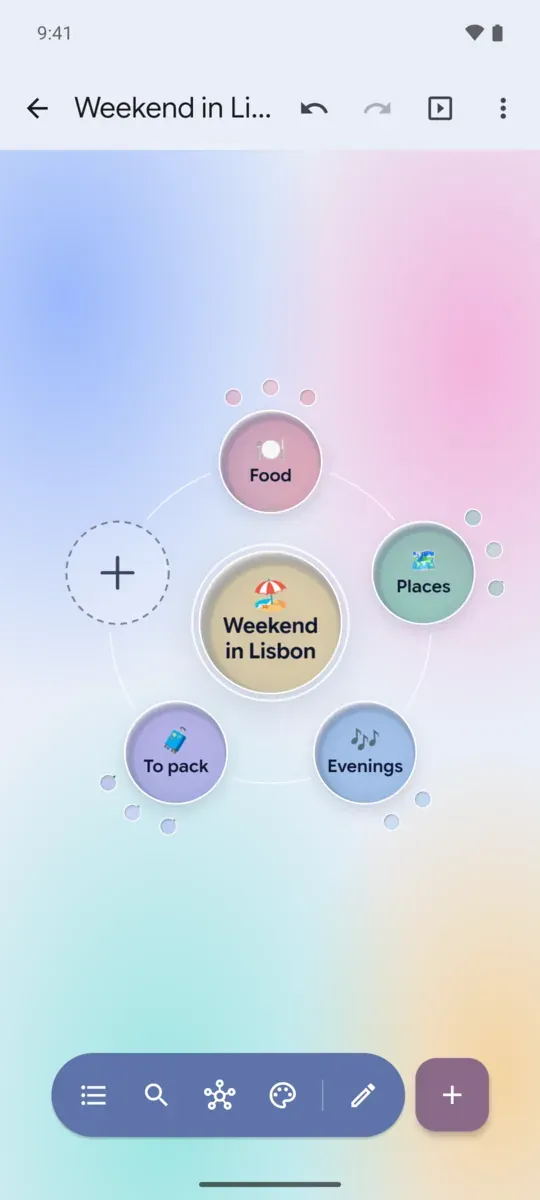
Add ideas where they go: around the one in the middle, typed right inside their planets.
- Tap the + in the orbit and type inside the new planet. Enter adds it and opens the next one, so ideas keep coming.
- Hold the + and talk: each pause becomes a planet. Slide up to keep listening hands-free.
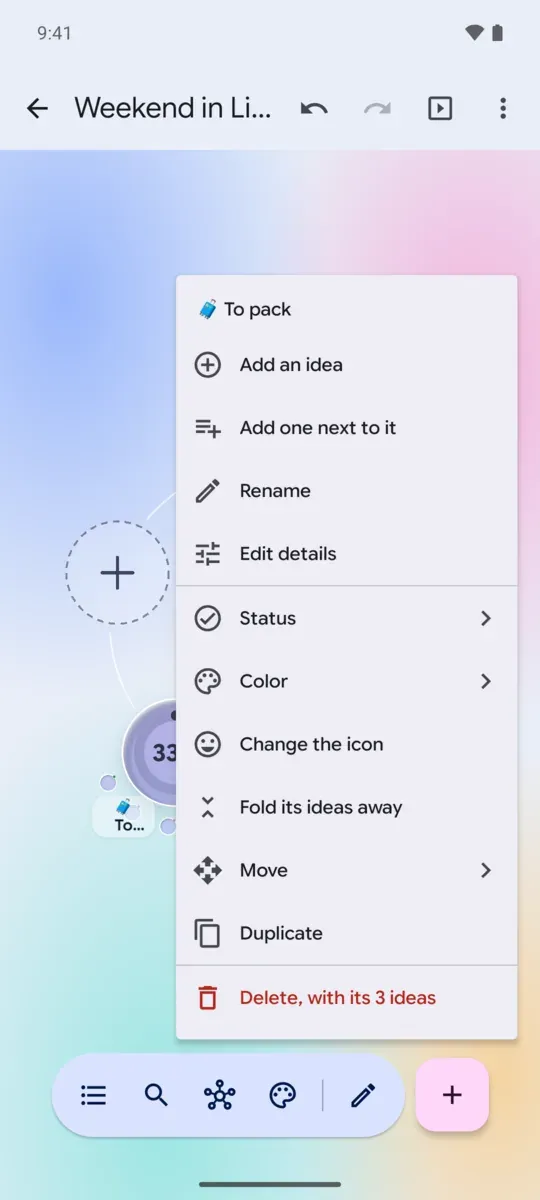
- Long-press an idea for its menu: add ideas under or beside it, rename it, set its status, color or icon, fold it, move it, duplicate it or delete it.
- Drag an idea onto another to put it inside, or along the orbit to change its place, with a light tap when it lands.
- Undo and redo every change.
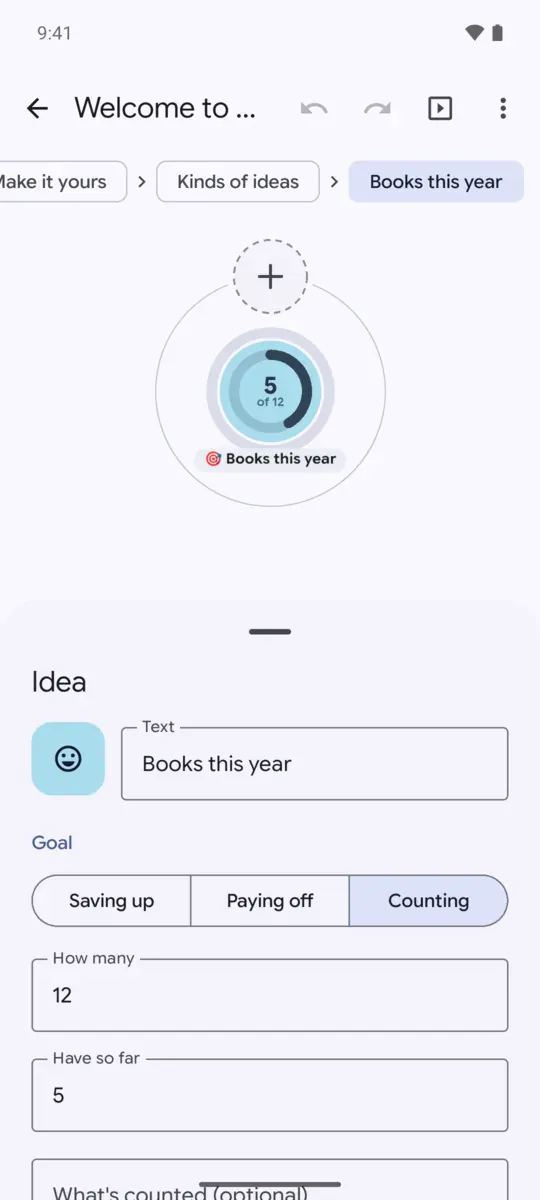
Ideas of every kind
Every idea can be more than a name. The editor covers all of it, and the map shows each change as you make it.
- Milestones, questions, decisions, risks, sources and people, each with a look of its own.
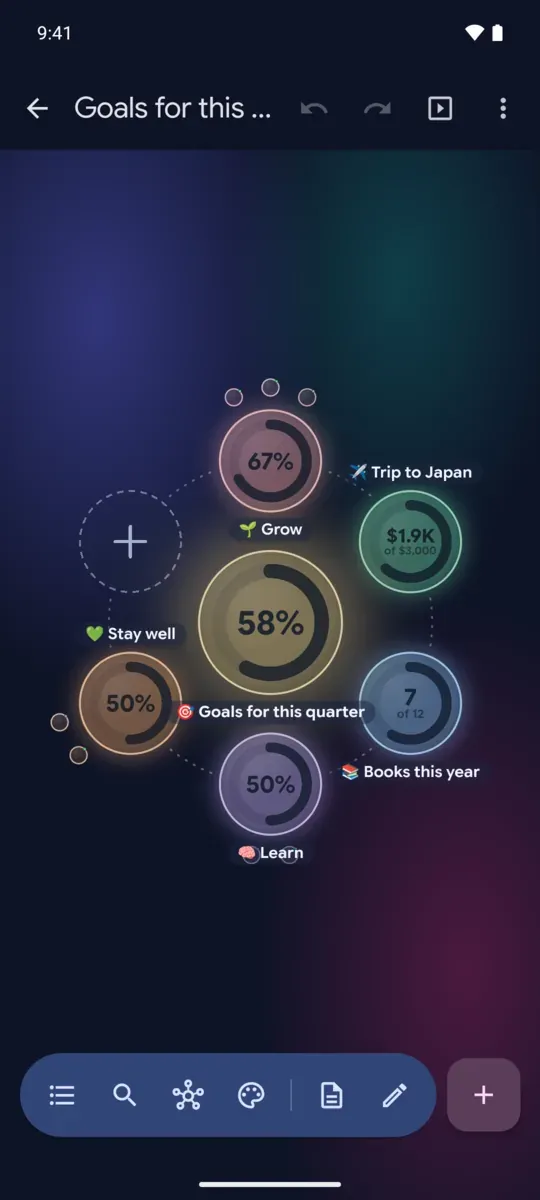
- Goals that count toward a target: money saved in your currency, a debt paid off, or anything you count.
- Progress rings that fill as the to-dos and goals under an idea get done.
- A status, a priority, a color, an emoji, tags, and a note in markdown.
- A photo or video from your phone, a YouTube or Vimeo video, a web page, or a link to another idea that flies there.
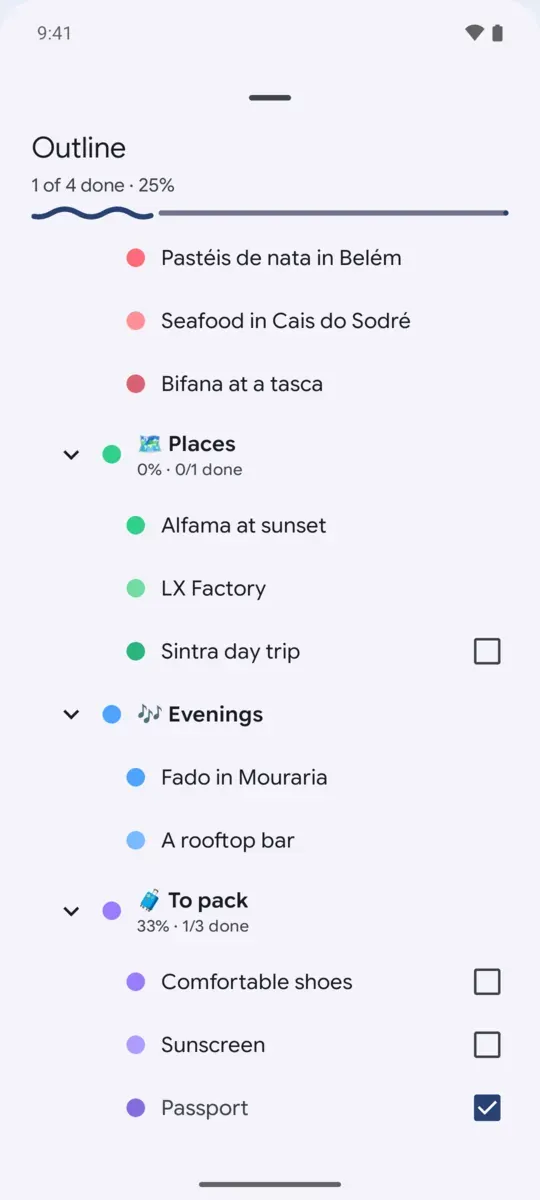
Fly through it
Tap an idea and the map zooms in to show what's around it. Zoom out, and everything is there at once.
- Tap a planet to fly in, pinch to zoom, and flick an orbit to spin it.
- Back, or a swipe, goes up a level as the map shrinks under your finger. Breadcrumbs lead back up too.
- The overview shows every idea at once, each branch in its own color.
- The outline shows the map as a list, with checkboxes and how far along every branch is.
- Search ideas, tags and notes, and fly to the one you pick.
- A map opens again on the idea and view you left it in.
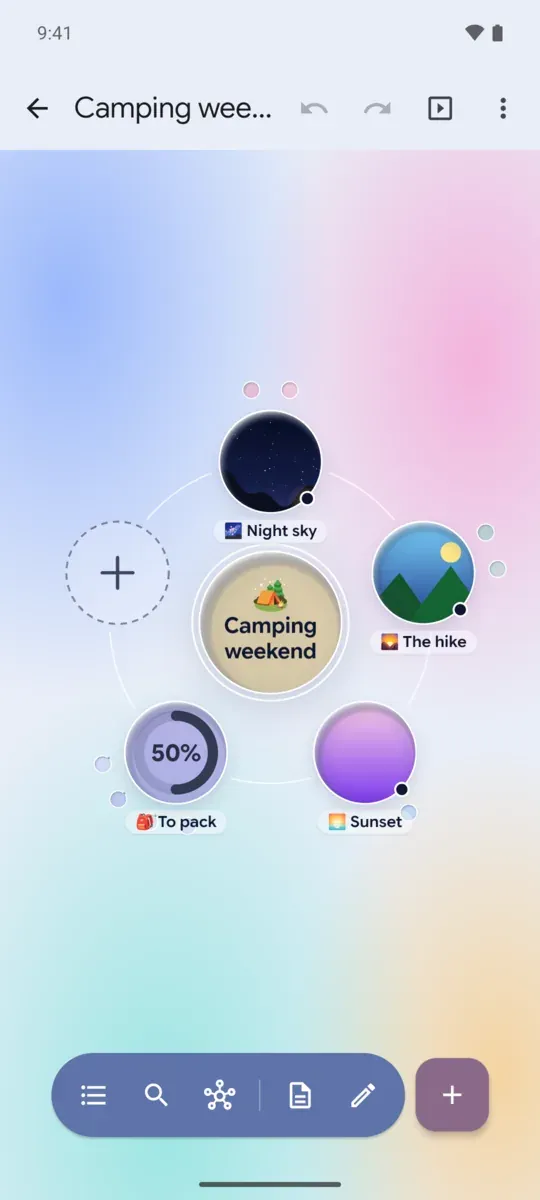
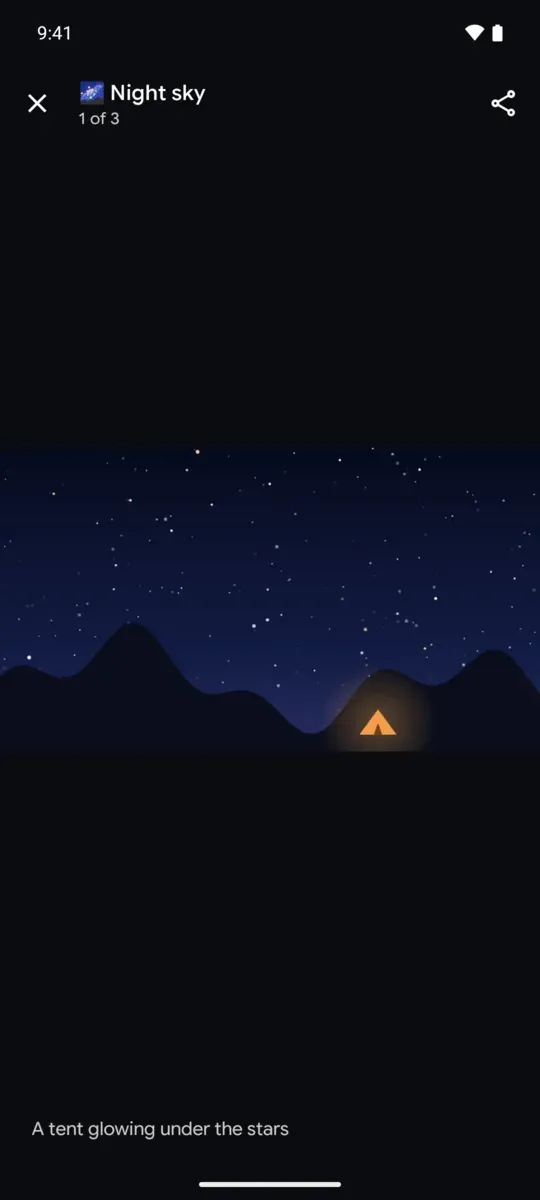
Pictures and videos, full screen
Ideas carry pictures and videos, inside their planets, and they open over everything.
- Pinch, double-tap and pan around a picture, sharp at any zoom.
- Swipe through every picture and video in the map, in the outline's order.
- Videos play in the app, and YouTube and Vimeo in their own players, YouTube in its privacy-enhanced mode.
- Keys work too: arrows, + and -, space to play, and Escape to close.
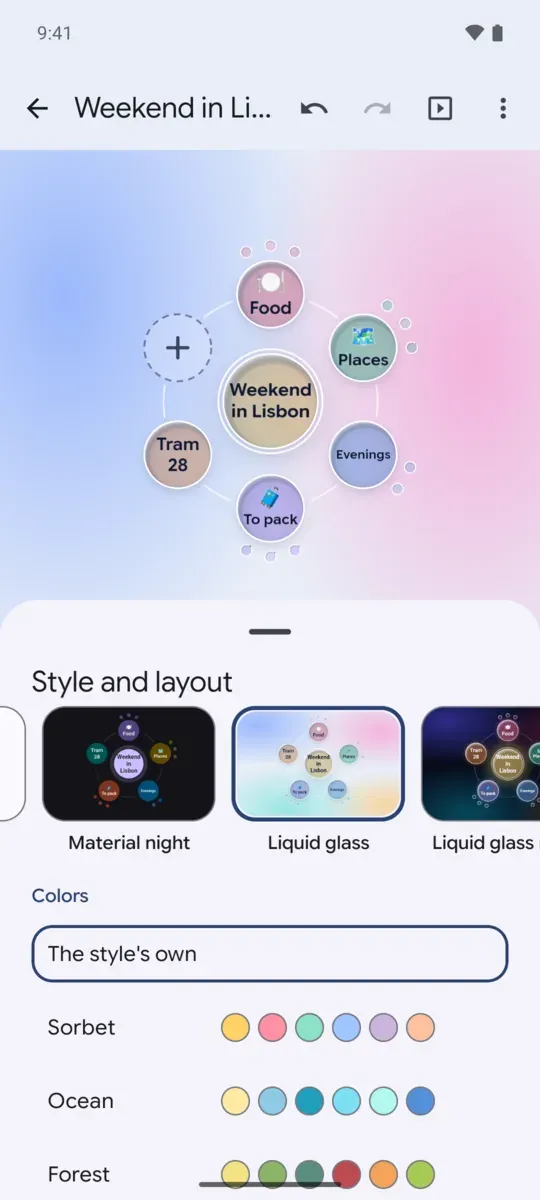
Make it yours
Every map can look its own way, and the screen around it takes on its style.
- All of Orbit's styles, each previewed with your map: paper and night, flat, Material, glass and liquid glass, cosmos, blueprint, ink and high contrast.
- App colors grows a style from your wallpaper, so every branch takes a tone in harmony with it.
- Color sets, orbit rings, progress rings, a slow drift, and how many levels show.
- Material You in light and dark, or Orbit's own colors.
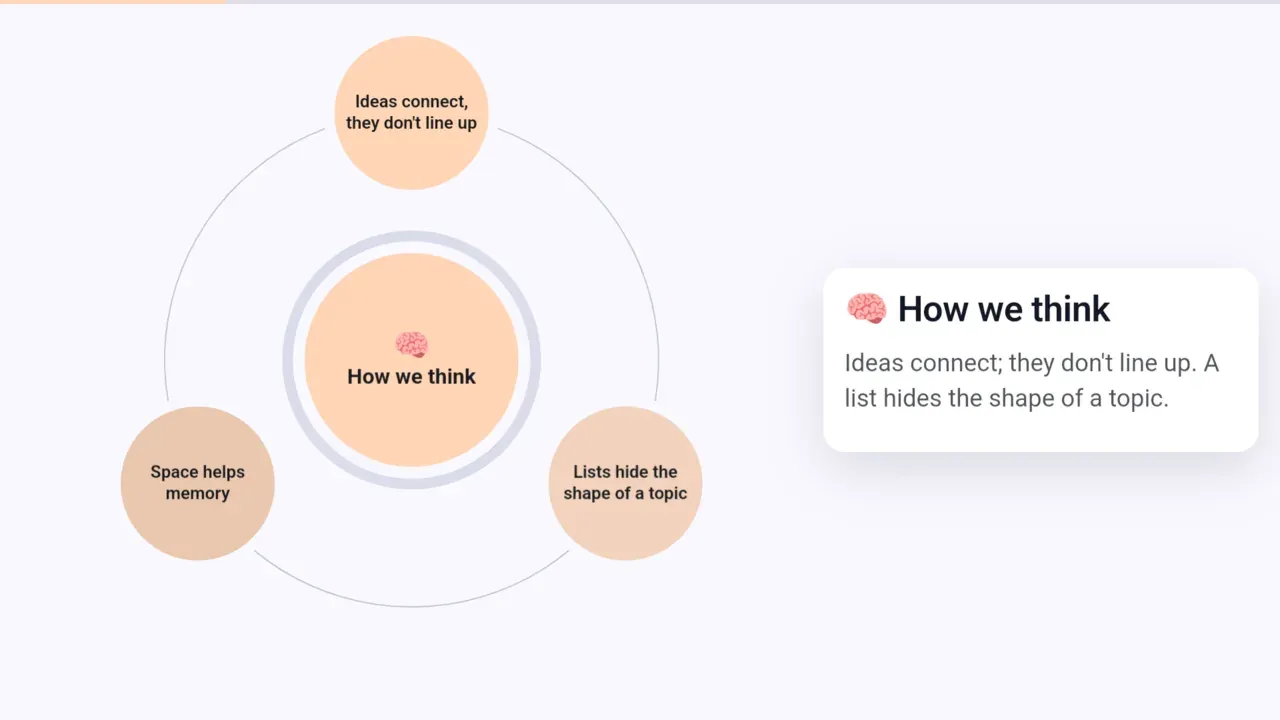
Present it on any screen
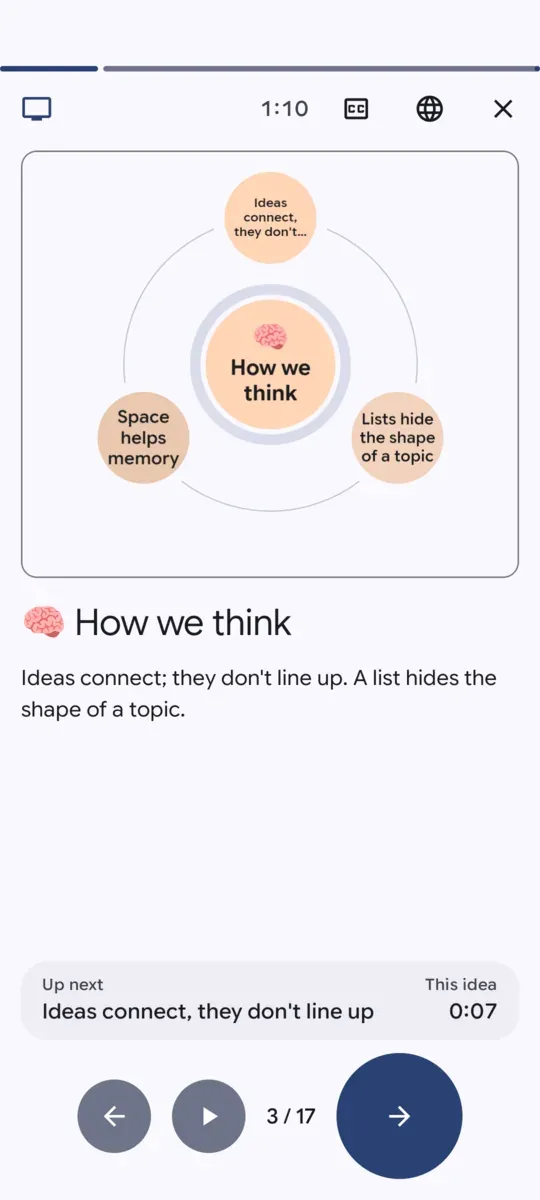
Step through a map full screen, one idea at a time, with each note as a caption.
- A presentation path: tap the ideas in the order you'll present them.
- Rehearse with a clock on every idea, then see your pace while you present.
- Swipe, use the arrow, page or volume keys, a presentation clicker, or let it move on by itself.
- On a second screen or a TV, over HDMI, USB-C or a wireless display, the phone becomes your presenter view: the whole note, what comes next, and the clock.
- Google Cast to TVs in the Google Play build, and pictures and videos shown big to everyone.
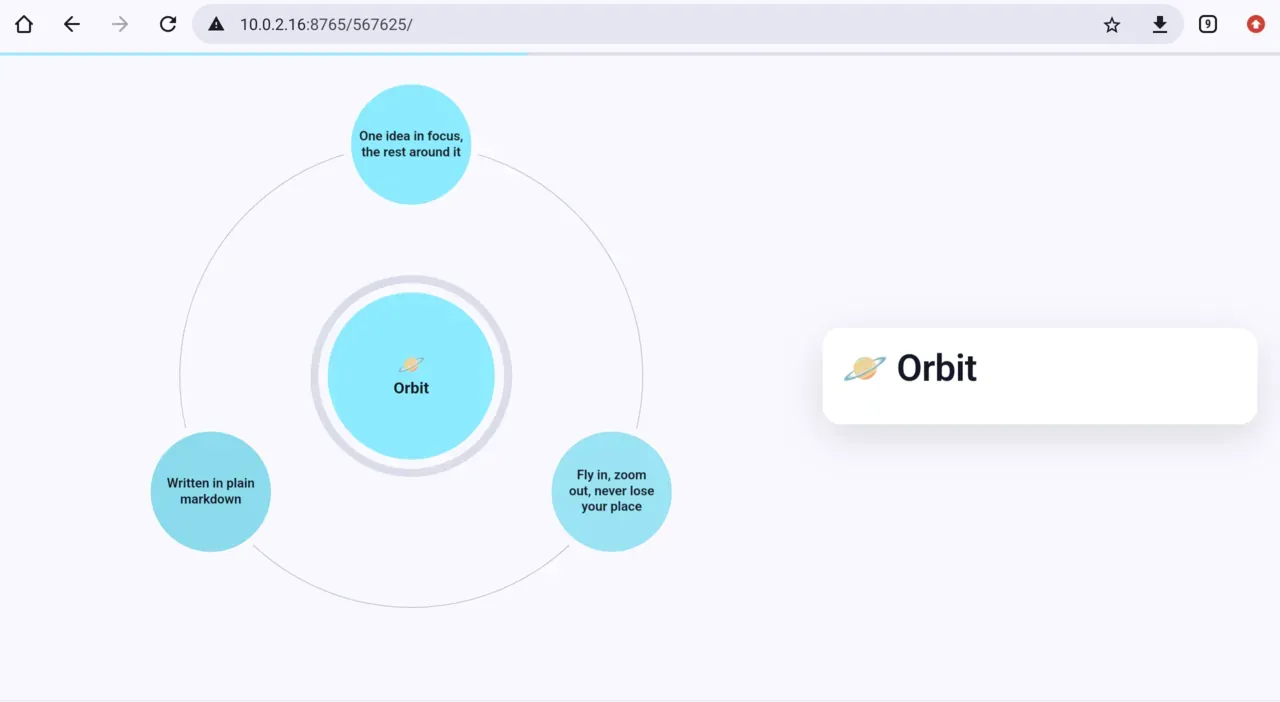
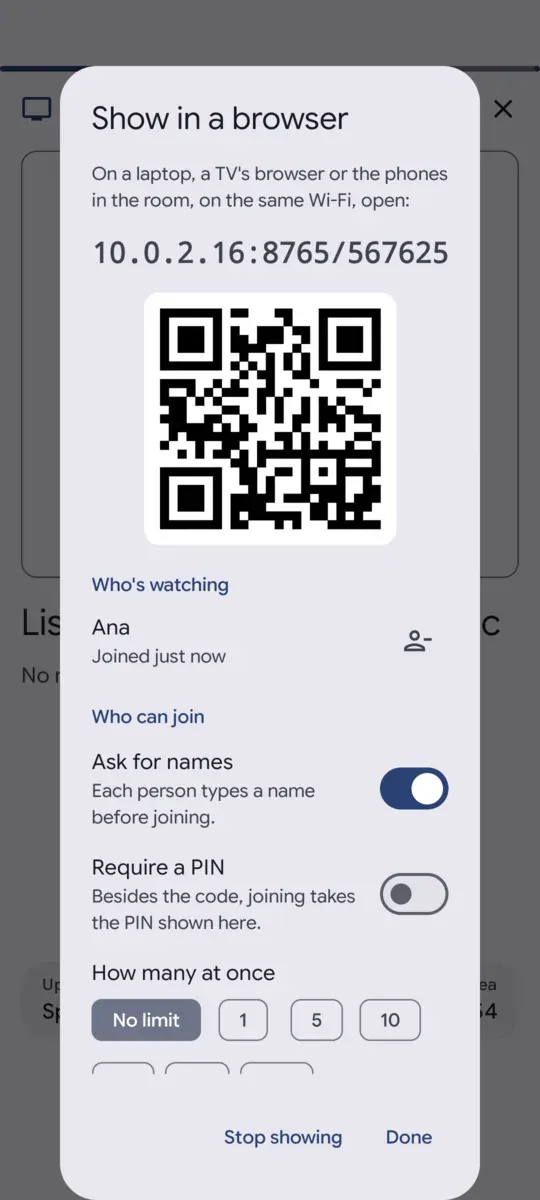
Everyone in the room follows along
Show a presentation in any browser: a laptop on a projector, or the phones in people's hands.
- A short address with a six-digit code, or a QR code to scan.
- Served from your phone over the Wi-Fi or its hotspot, with no server and no cost.
- A PIN to say aloud, a limit on how many can join, and a list of who's watching, by name.
- A phone that falls asleep picks up where the talk is when it wakes.
Share it, sync it
Your maps go where you need them, without an account.
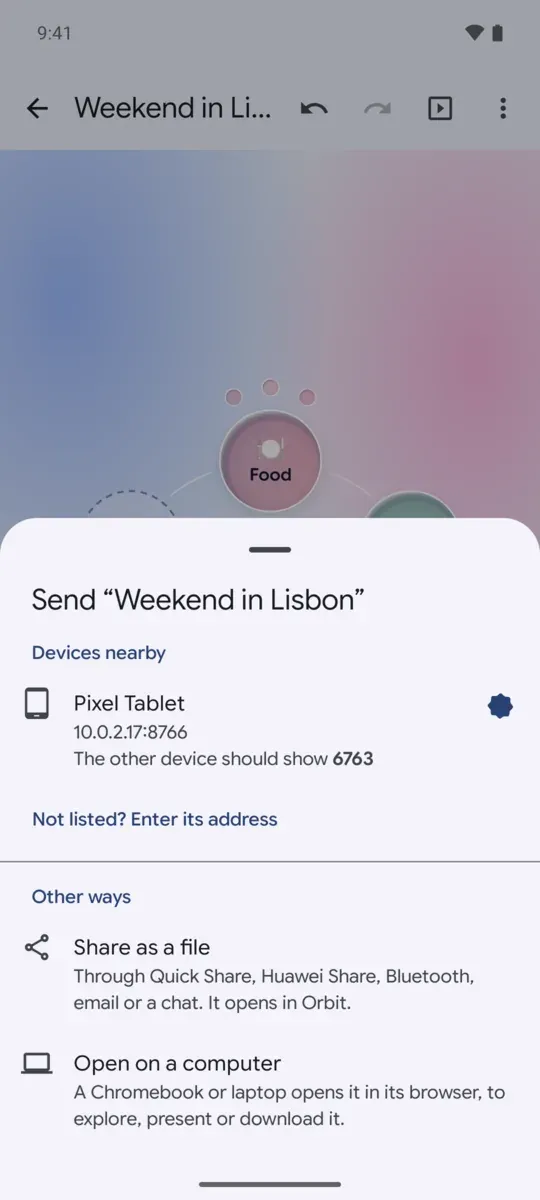
- Send a map to your tablet or another phone nearby, encrypted end to end, with a check code so you know it reached the right one.
- Maps keep who they are: sent back and forth, they update in place instead of piling up copies.
- Open a map in a browser on your computer to explore it, present it or download it.
- Share it through Quick Share, Huawei Share, Bluetooth, email or a chat, and it opens straight into Orbit.
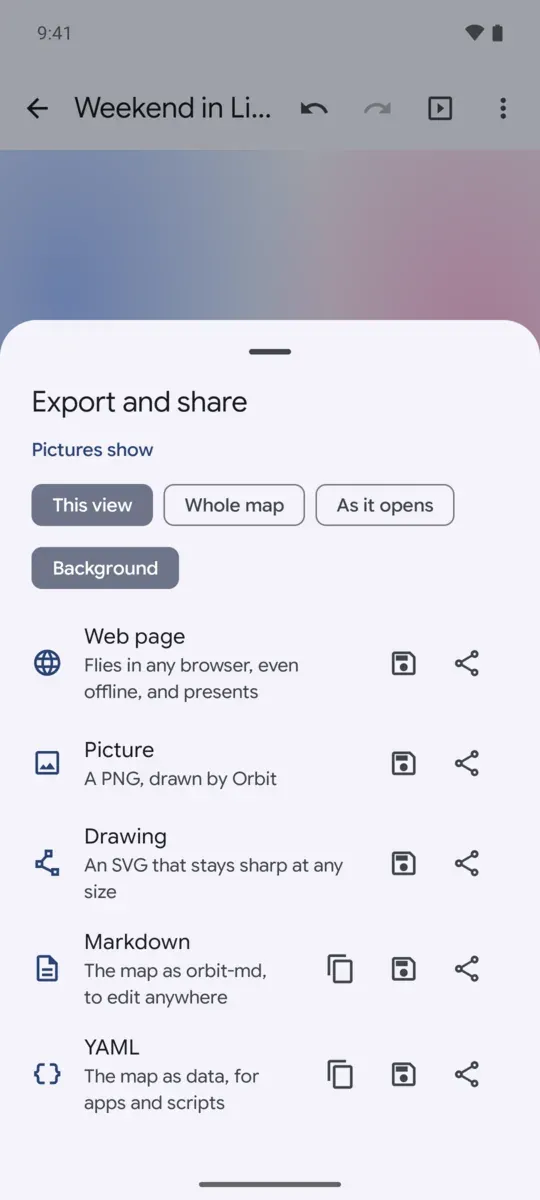
- Export a web page that flies offline in any browser, a PNG, an SVG, markdown, YAML, or a zip with its pictures.
- Keep every map as a markdown file in a folder you choose, synced both ways with Syncthing, a cloud drive or a computer.
Catch ideas without opening a map
Ideas come when they come. Orbit is a tap away.
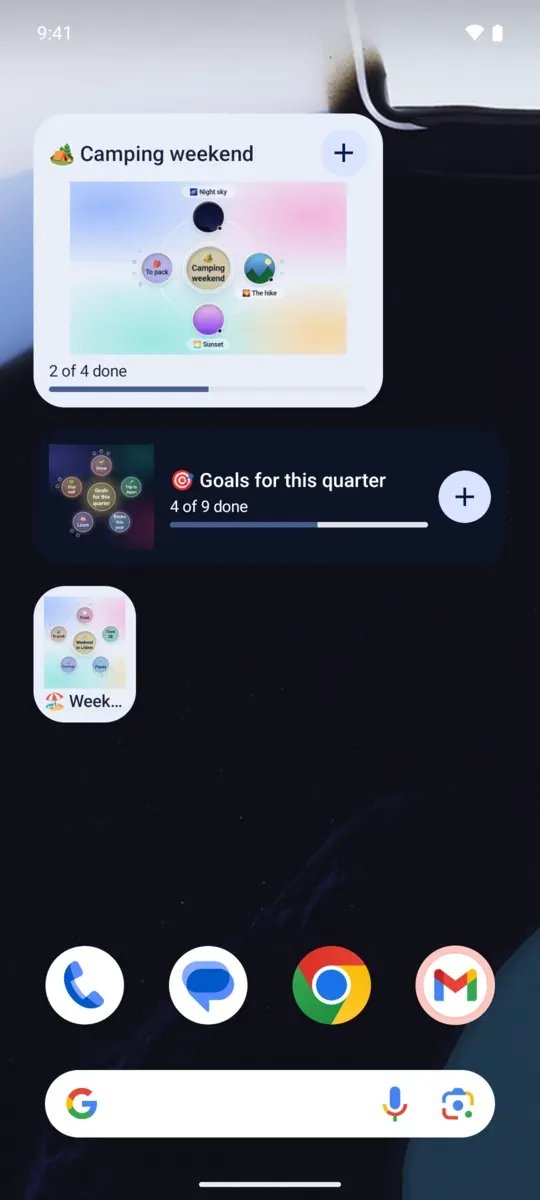
- Widgets of any size show the map as Orbit draws it, with how far along it is, always current.
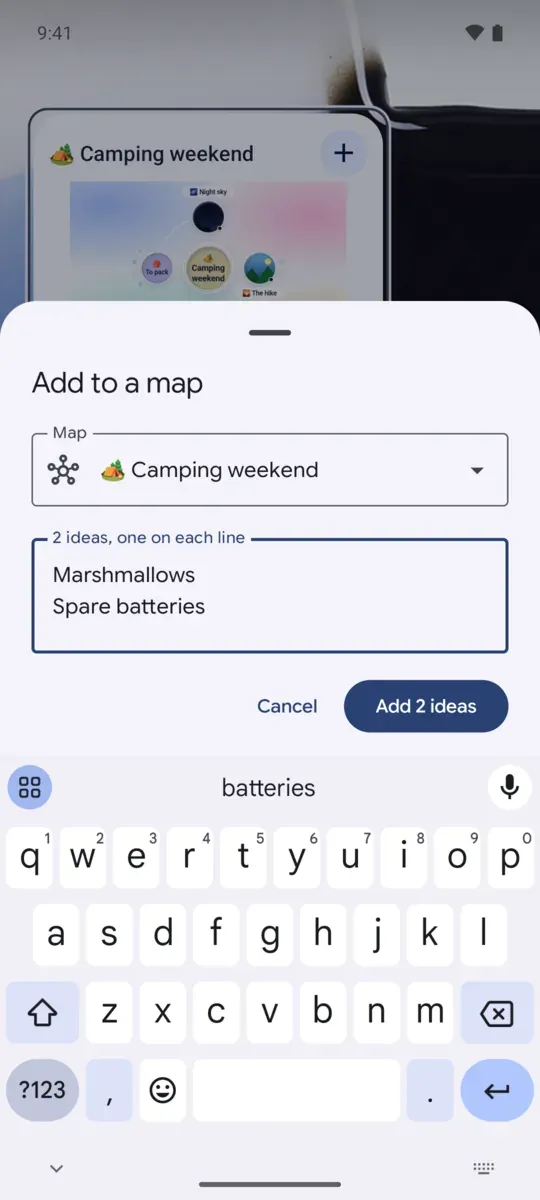
- A widget's + catches ideas into its map, one per line.
- "Add an idea" in Quick Settings, and "Add to an Orbit map" in any app's share sheet: a shared list becomes ideas, or a new map.
- Launcher shortcuts for a new map and the maps you opened last.
All your maps
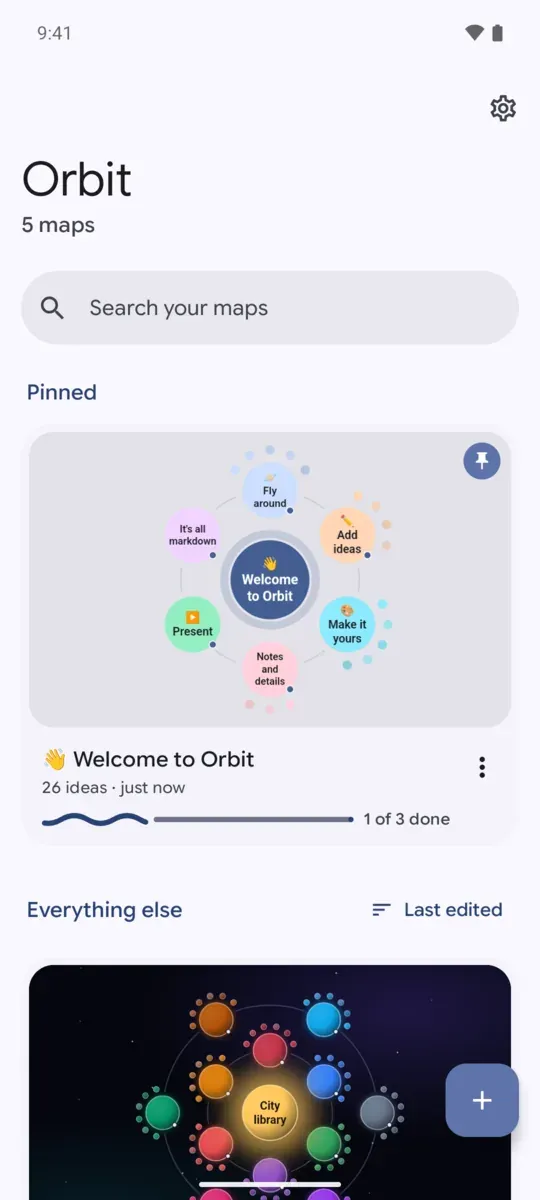
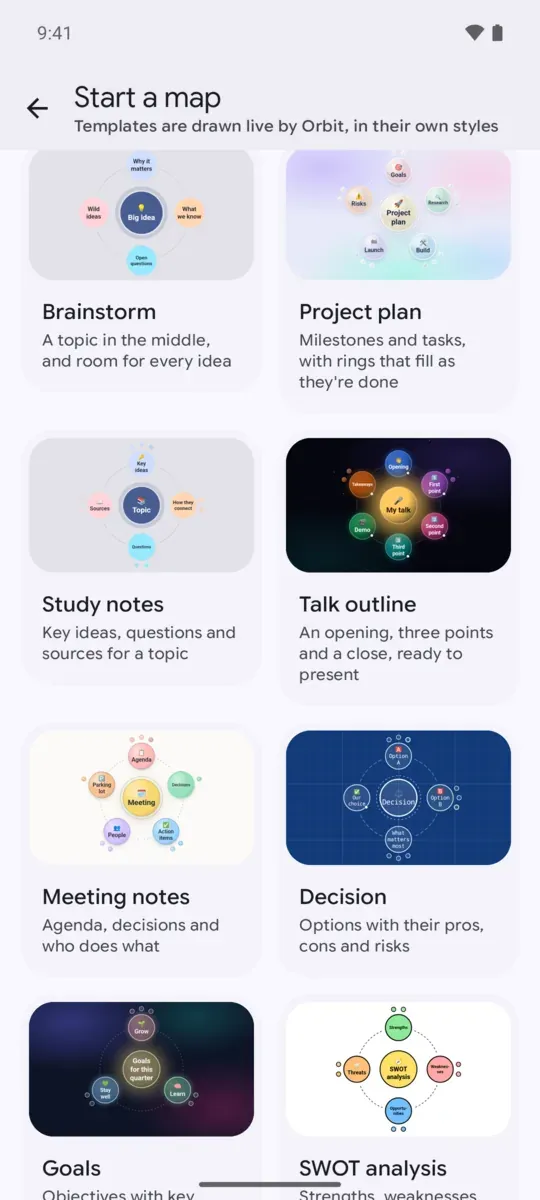
Home shows every map as Orbit draws it, so you know each one at a glance.
- How far along each map is, from its to-dos and goals.
- Search titles, ideas and notes; pin maps to the top; sort them your way.
- Start from eleven templates: a project plan, study notes, a talk outline, a decision, a SWOT, goals and more.
- Open markdown, YAML or zip files, or text from any app.
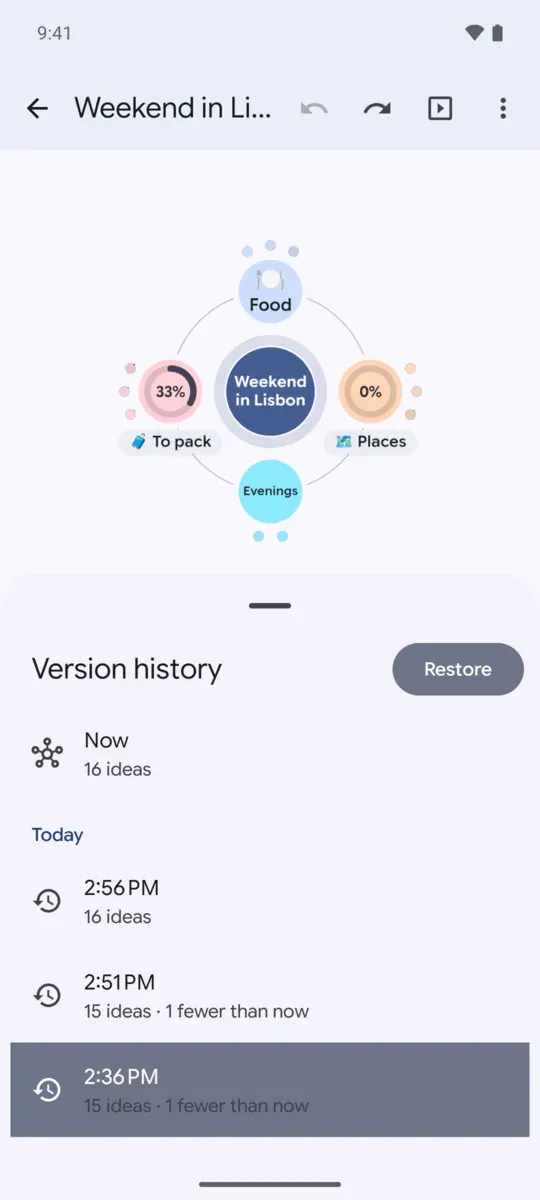
Every version, and the text underneath
Go back in time, or under the hood.
- A version history that keeps every stretch of editing, thinned out as it ages: look around an earlier version on the map, and bring it back with Undo.
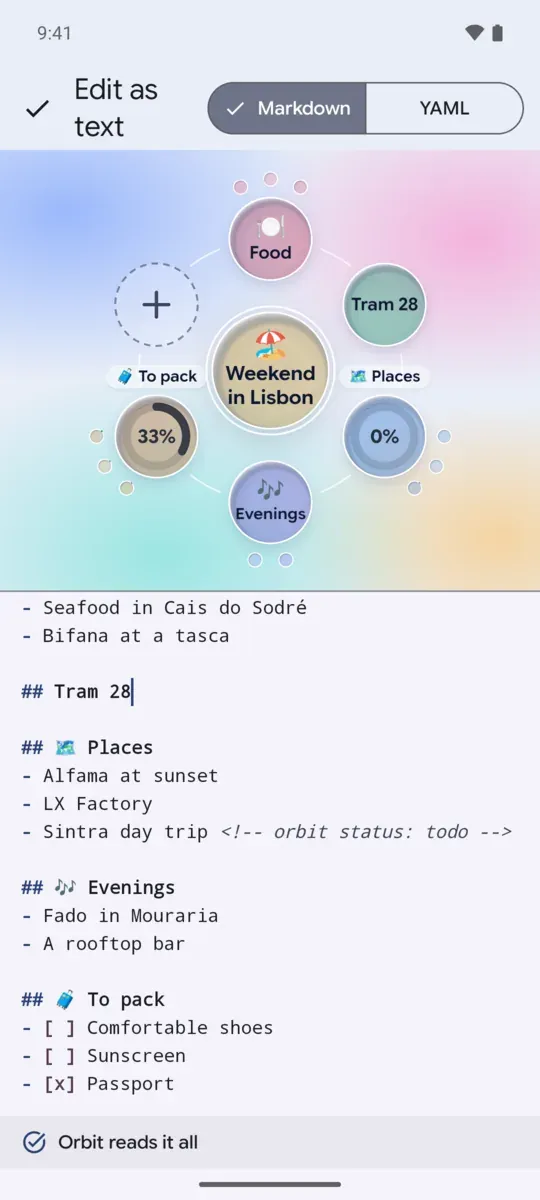
- Edit a map as text, with the map redrawing above it as you type, and as YAML too.
- Each map is a plain markdown file any text editor can open.
At home on every screen
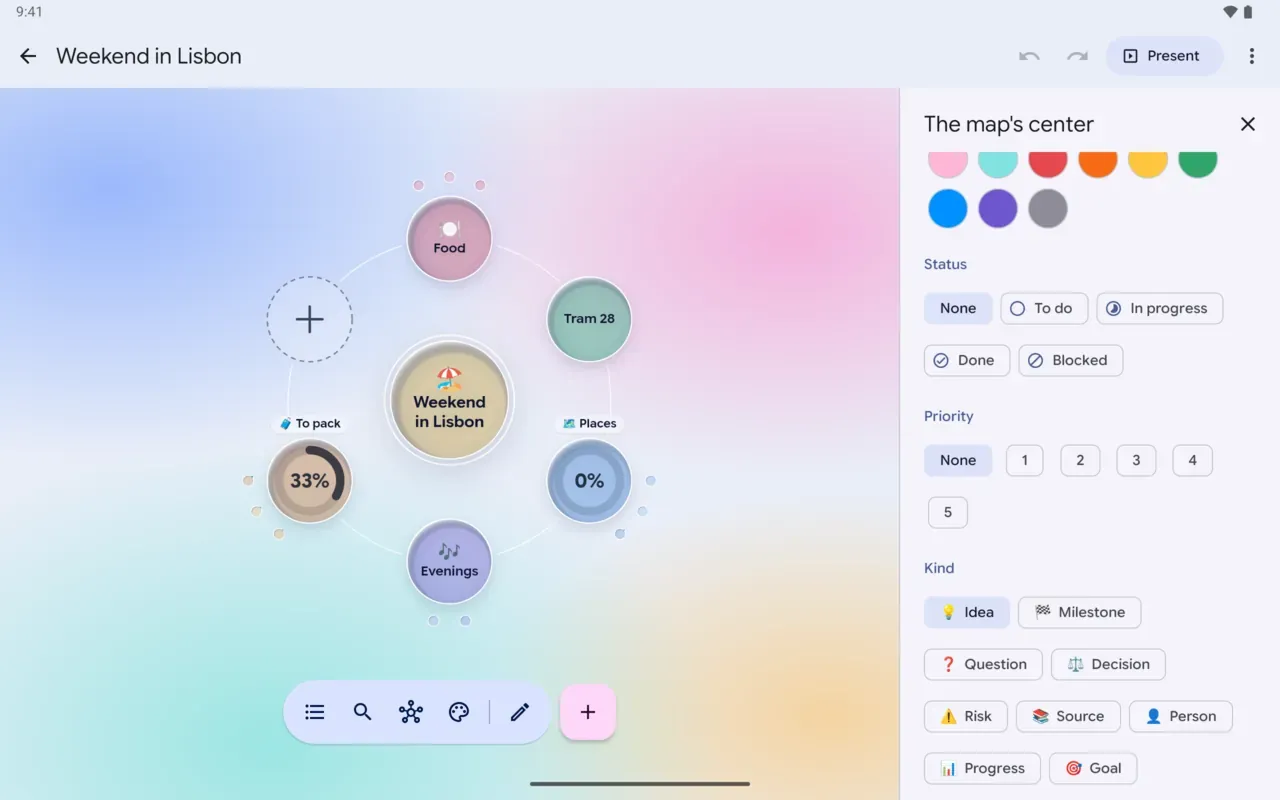
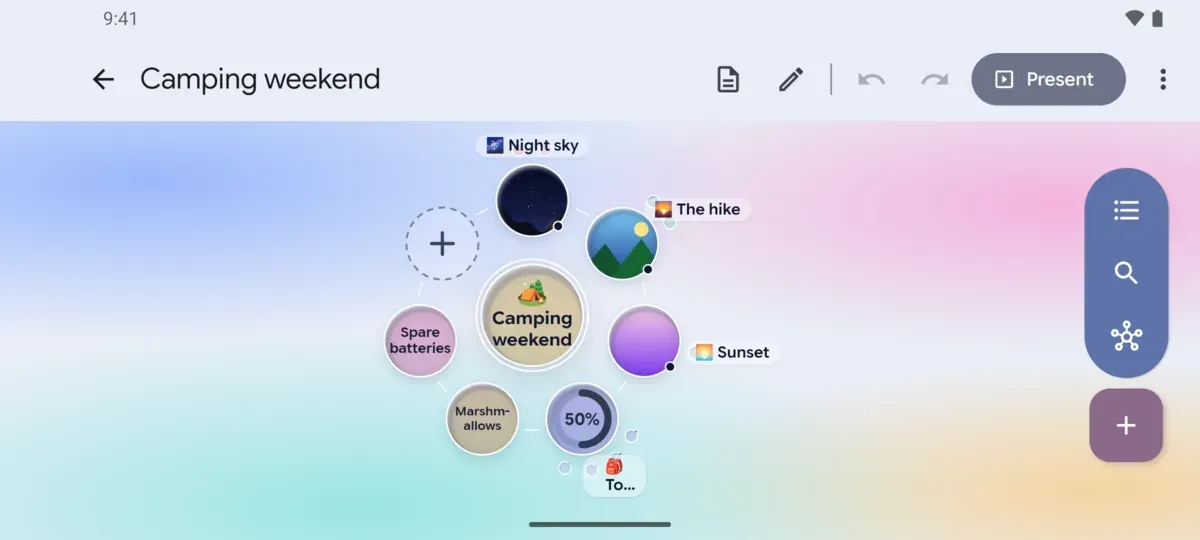
On tablets and foldables, your maps and the editor sit beside the map, either way up. A phone on its side moves the tools to a rail. With a keyboard and a mouse, every button shows its keys, a right click opens menus, and the wheel zooms.
- Tabadd under
- Shift + Enteradd beside
- F2rename
- Ctrl + Zundo
- Ctrl + Fsearch
- Ctrl + 1 2 3switch views
- Ctrl + Eedit
- F5present
- Ctrl + /every shortcut
Your maps are safe
A map holds someone's thinking, so Orbit never loses one, or any part of one.
-
Every write is whole
A map is written beside the old one and takes its place only once it's safely on disk, so a crash or a dead battery never leaves half a map.
-
Versions at the right moments
As each visit begins, every ten minutes of editing, and before big changes, kept for weeks and months.
-
A trash
Deleted maps wait 30 days, history and all, to be restored or deleted for good.
-
Nothing lost to a sync
A map changed in two places is kept twice, and the folder never deletes a map on a hunch.
-
Backups
Your phone's backup keeps your maps and settings, and Export all maps writes everything into one zip to keep anywhere.
-
Read-only when unsure
A map Orbit can't fully read opens to look at, and its file stays exactly as it is.
Your maps stay on your phone
No ads, no accounts and no tracking. Orbit doesn't send your maps, or anything about you, to us or to anyone else. It's free software under the GNU GPL, drawing its maps with the same Orbit library as this site.
Works without Google
- Maps draw with the phone's own WebView, Android's or Huawei's.
- Sending maps and keeping them in a folder use Android's own tools.
- Presenting works in browsers on any network, and the cast button opens Android's own screen casting.
- Speaking ideas falls back to typing, or the keyboard's microphone.
- Crash reports stay on the phone, with nothing from your maps, until you choose to share one.